- Role
- End-to-end delivery
- Platform
- Shopify POS
- Year
- 2026
- Focus
- Native integration / Print
Overview
Retail teams needed a way to print accurate product labels on the shop floor without custom development for every format change. Existing workflows forced staff into generic printer software or manual label design, disconnected from live product data and hard to govern across stores.
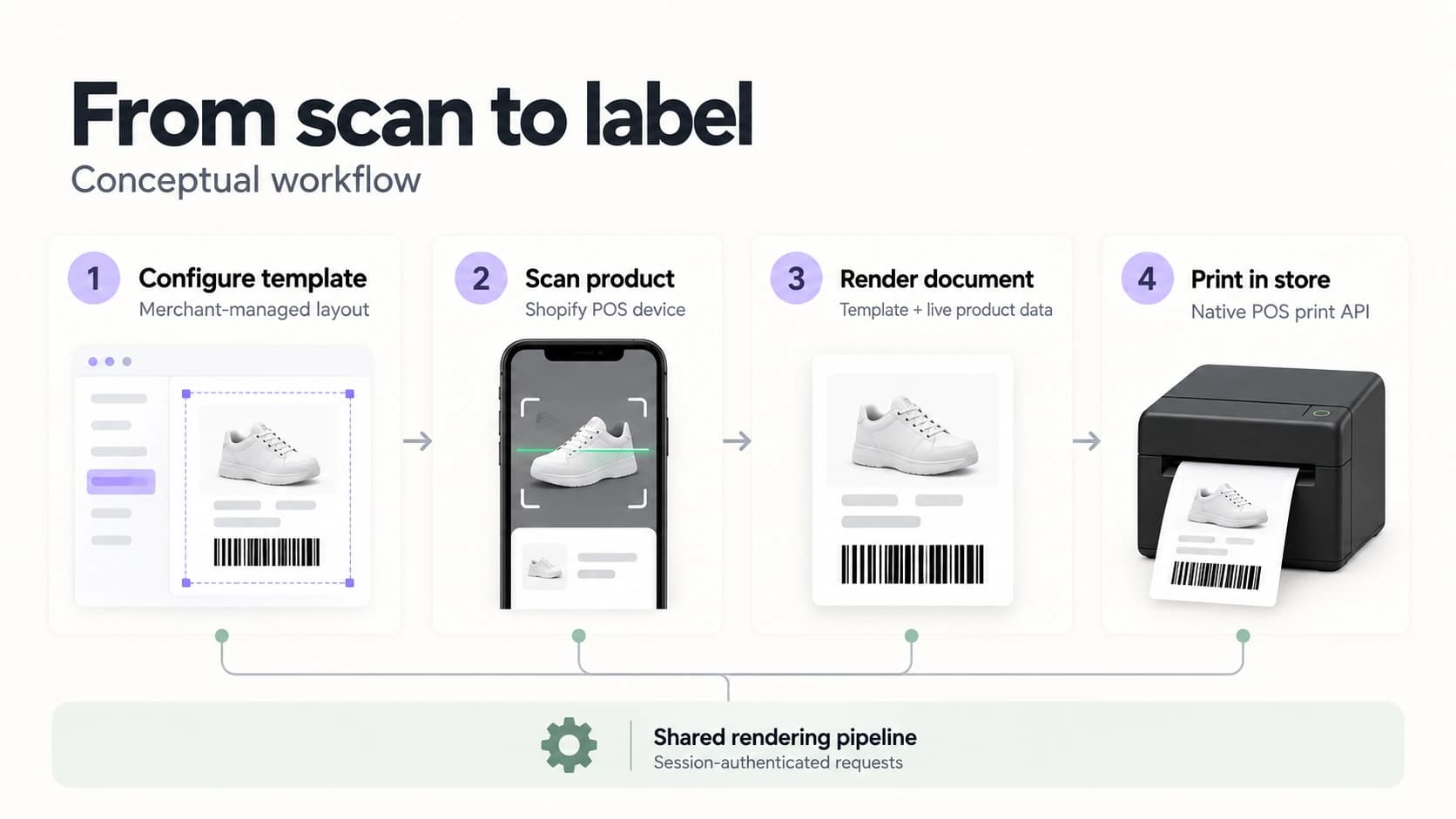
The platform combines configurable label templates, a shared rendering pipeline between admin and print output, and native Shopify POS integration on mobile devices. Merchants define layouts, typography, data sources, and barcode formats centrally; staff on POS tablets and phones select an active template, scan a product, and print — with no separate mobile app or printer configuration layer.
Technical Highlights
The platform combines template-driven label design, server-side document generation, and native POS print APIs to deliver a scalable and reliable in-store printing solution. The architecture was designed to support additional template formats and data sources while keeping the store-floor workflow minimal.
Architecture
The core challenge was bridging merchant-configured label design with reliable, consistent printing on mobile POS hardware — where client-side rendering is constrained and authenticated print flows cannot depend on standard request headers.
The platform uses a two-surface architecture: an embedded admin app for template management and a POS UI extension for store-floor execution. Template configuration is stored as structured JSON definitions. A shared rendering module generates label layout consistently across preview and print. When staff initiate a print, the POS device requests a server-rendered document authenticated via session tokens, then delegates output to native shopify.print APIs. This separation keeps configuration flexible in admin while keeping the in-store experience simple and device-native.
POS Device Integration
The platform relies on Shopify POS UI extensions running on tablets and phones used in-store, authenticated to the backend through session JWTs rather than a separate device pairing or mobile app install.
To maintain reliability across POS navigation and extension remounts, print sessions persist template selection and scanned products through coordinated state management, with caching and stale-request guards. Print URLs embed authentication tokens where header-based auth is unavailable in native print flows, allowing labels to be fetched and printed idempotently without duplicate or orphaned print jobs.
Outcome
The result is a scalable in-store label printing platform that gives merchants self-service control over label formats while reducing operational friction for retail staff.
By connecting flexible template configuration, live Shopify product data, and native POS mobile workflows, the system delivers fast scan-to-print on the shop floor and a governed foundation for expanding label types, data bindings, and store rollout without re-architecting the print pipeline.