- Role
- End-to-end personal project
- Platform
- Next.js / Vidstack
- Year
- 2026
- Focus
- Discovery / HLS playback / UI
Explore Voxo live (opens in a new tab)
Overview
Voxo is a personal project built for fun: a way to explore the browsing and playback experience behind a streaming service. The catalogue uses fictional demo titles and a shared sample stream to exercise real HLS playback, movie discovery, and multi-season episode navigation.
A full-width featured carousel leads into horizontal collections for discovery, movies, and series. Large artwork, restrained navigation, and a dark palette keep the focus on choosing something to watch.
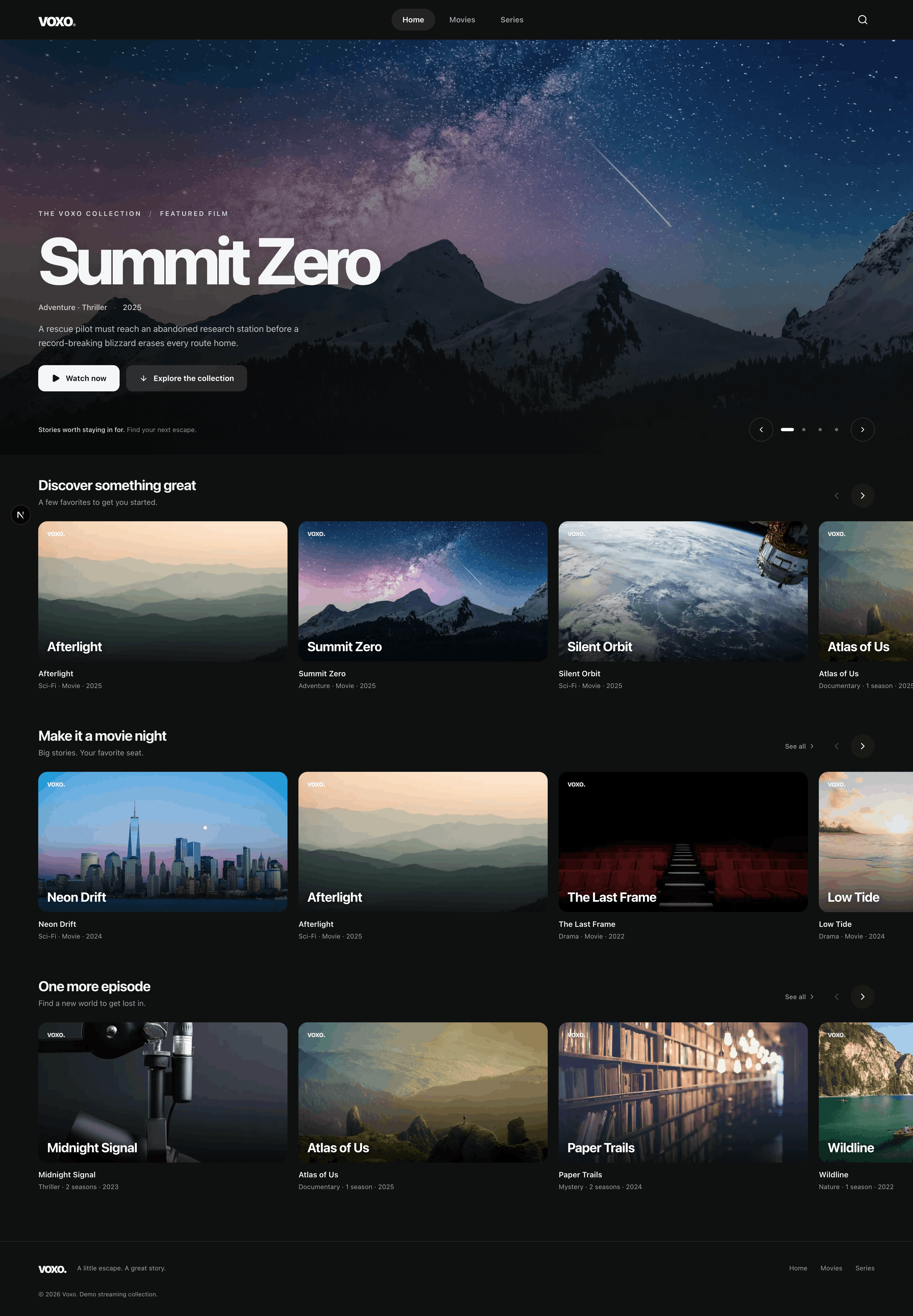
Scroll inside to explore. Switch between desktop and mobile previews.
Finding something to watch
The homepage offers a few starting points, while dedicated movie and series views open up the full collection. Search matches titles, descriptions, and genres; the selected content type and search query live in the URL, so a filtered view can be linked to directly.
The cards carry the same artwork and title treatment from the homepage rows into the catalogue grid. Clear type, genre, and year labels make it easier to scan the collection without opening each title.
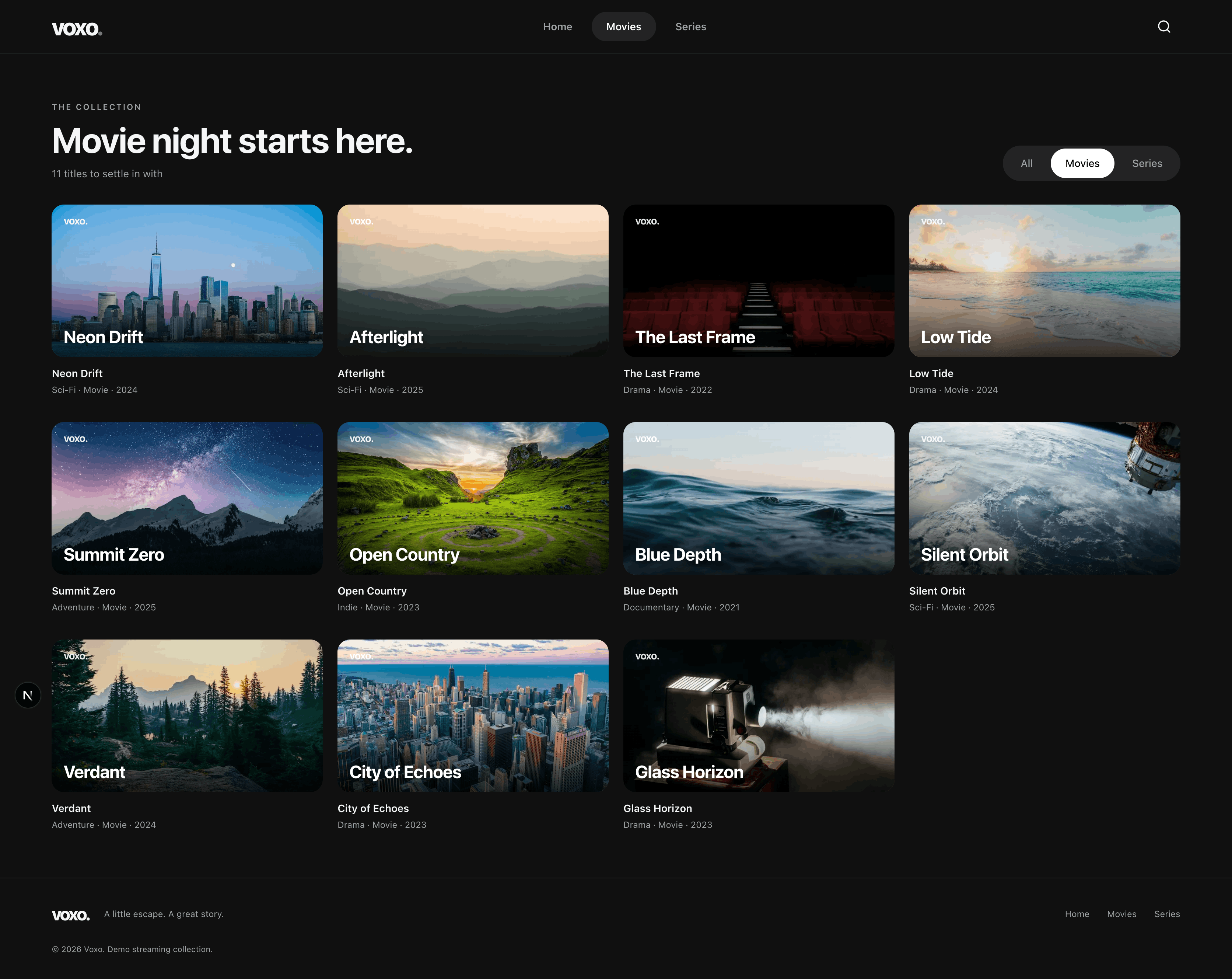
Scroll inside to explore. Switch between desktop and mobile previews.
Technical Highlights
Voxo combines a modern Next.js application with a custom Vidstack player and HLS playback. The architecture keeps catalogue content, playback behaviour, and presentation separate, making it straightforward to add new titles, series, seasons, and streaming sources.
Streaming-Ready Playback
Vidstack provides the underlying media framework, with HLS.js enabling segmented HLS playback in supported browsers and adaptive quality selection when multiple stream variants are available.
Custom Player Experience
The player includes custom controls for playback, seeking, volume, fullscreen, quality selection, audio tracks, touch gestures, and automatic episode progression.
Movies and Episodic Content
A shared catalogue model supports standalone movies and multi-season series. The watch page brings the player, title details, season selector, and episode cards together, with a clear now-playing state. Previous and next controls move across season boundaries, and playback advances when an episode ends.
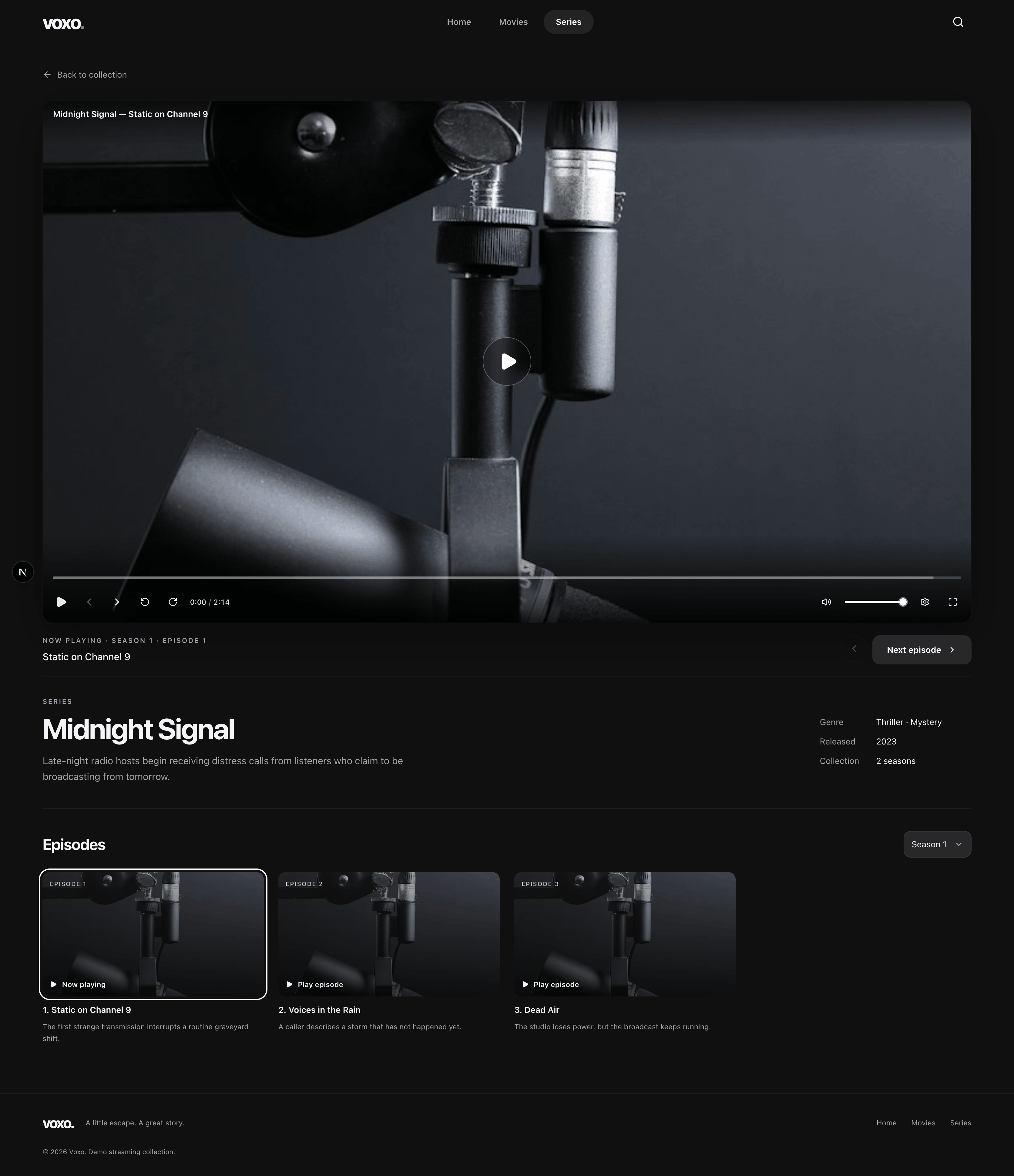
Scroll inside to explore. Switch between desktop and mobile previews.
Responsive Interface
The catalogue and watch pages adapt from desktop grids to smaller screens, with horizontally scrollable collections and responsive player controls. Tailwind CSS, shadcn/ui, and Base UI provide the interface foundation; Motion and CSS transitions add feedback while respecting reduced-motion preferences.
Architecture
The application is built with Next.js, React, and TypeScript, with catalogue content represented through strongly typed configuration rather than being coupled directly to the interface.
The architecture separates typed catalogue data and filtering helpers from discovery components and playback. Movies and series share a common content model, while series extend it with seasons and episodes. The home route resolves search and type filters on the server; interactive components handle the carousel, search disclosure, and player controls.
Playback is handled by a reusable Vidstack-based player component. Movies pass a single stream directly into the player, while series add state for the selected season and episode. Previous, next, and playback-ended events are connected to the episode model so viewers can move naturally through a series without the media player needing to understand the catalogue itself.
The interface is assembled using Tailwind CSS, shadcn/ui, Base UI, and Lucide icons, with lightweight password protection available for gated deployments.
Media Streaming
The central technical focus was delivering real streaming playback rather than treating video as a simple downloadable file.
Voxo consumes HLS manifests, such as streams delivered through Mux, which divide media into smaller segments that can be loaded progressively. Through Vidstack and HLS.js, the player can expose the quality levels and audio tracks provided by the stream while adapting playback to the capabilities of the browser.
The playback interface is built on top of Vidstack’s media primitives rather than using its default visual theme. This made it possible to create a distinct Voxo experience while retaining the more difficult underlying behaviour: media state management, seeking, buffered progress, fullscreen handling, volume control, touch gestures, quality switching, and cross-browser HLS support.
Outcome
The result is a streaming prototype that connects discovery, browsing, and playback through a consistent visual language.
Voxo brings together a searchable demo catalogue, featured collections, HLS playback, custom media controls, and episode progression. The fictional content keeps the project focused on the interface and engineering rather than presenting it as a commercial streaming service.
More importantly, it provided a hands-on way to explore the engineering beneath familiar streaming interfaces — turning a project built for fun into a focused study of browser media, interaction design, and modern frontend tooling.